PDF Data Extraction Software for Structured CSV, Excel, and JSON
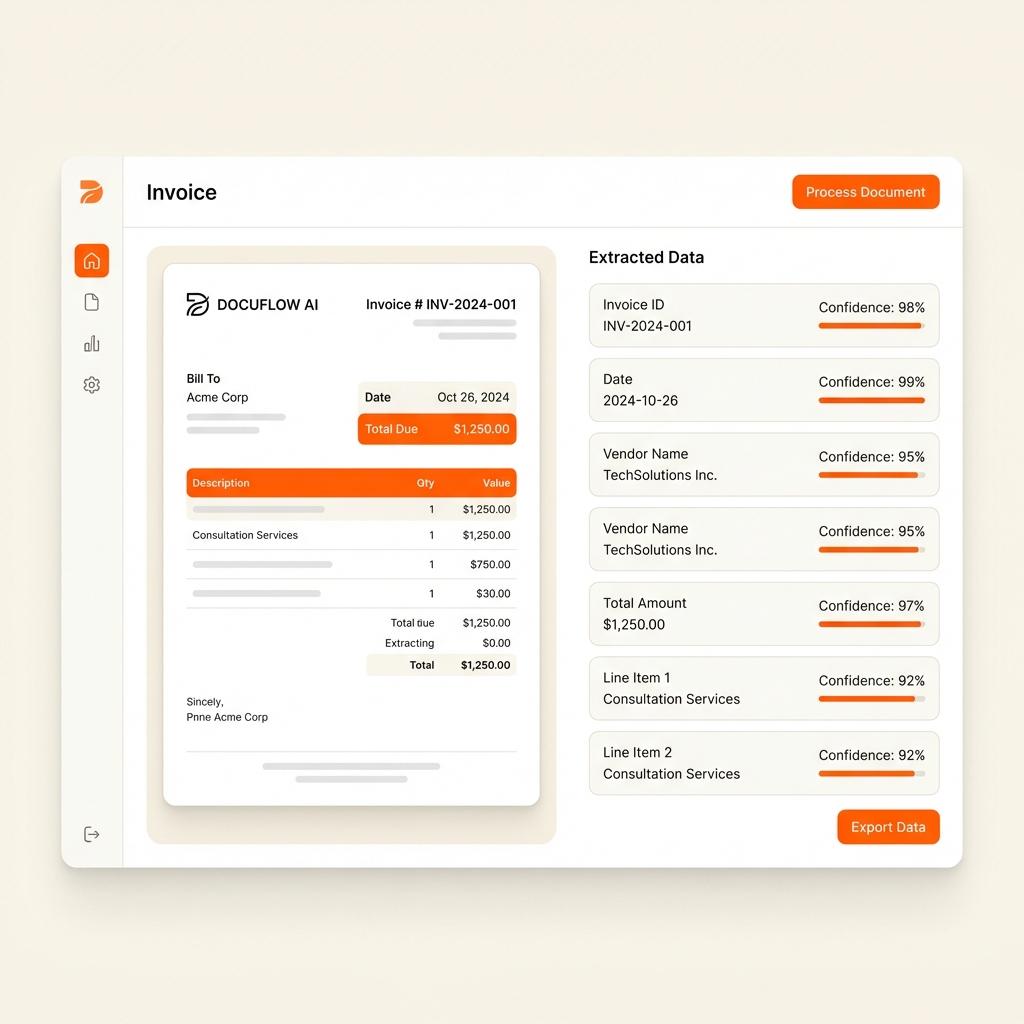
Use Parsinto to extract structured data from PDF invoices, bank statements, forms, tables, receipts, purchase orders, and scanned documents. Review the results, then export clean CSV, Excel, JSON, or PDF data.
{
  "document_type": "invoice",
  "fields": {
    "vendor": "Acme Supply",
    "invoice_number": "INV-1048",
    "total": 1284.00
  },
  "tables": [
    {
      "description": "Services",
      "quantity": 12,
      "line_total": 1200.00
    }
  ]
}
Turn unstructured PDFs into usable business data
PDFs are easy to share but hard to use as data. Parsinto reads the document, identifies fields and tables, and turns important values into structured outputs your team can search, review, import, and automate.
From PDF to Structured Data in Under a Second
Watch Parsinto automatically turn a messy invoice PDF into clean JSON or CSV with no manual setup.
Product Demo
See how Parsinto transforms your documents
Extract data from the PDFs your team already handles
Use one platform for invoice extraction, table extraction, bank statement extraction, scanned PDF OCR, and general document parsing.
PDF table extraction
Extract rows, columns, line items, transaction tables, quantities, dates, and totals from structured PDF tables.
Invoice data extraction
Capture vendor names, invoice numbers, due dates, taxes, total amounts, and line item tables.
Bank statement extraction
Turn bank statement PDFs into transaction tables with dates, descriptions, amounts, balances, and statement periods.
Scanned PDF OCR
Read image-based PDFs and convert scanned documents into structured fields and export-ready data.
From PDF upload to structured export in four steps
Parsinto keeps PDF extraction practical for business teams and structured enough for technical workflows.
Upload a sample PDF
Start with an invoice, bank statement, form, receipt, purchase order, or table-heavy PDF.
Let AI suggest fields
Parsinto identifies useful fields and table columns, then lets you edit the template.
Process related documents
Group similar PDFs in a Box and reuse the extraction template across the batch.
Review and export
Check the extracted values, then export structured data to CSV, Excel, JSON, or PDF.
Export extracted PDF data into the tools you already use
Whether your team works in spreadsheets, databases, accounting systems, or internal apps, Parsinto gives you structured outputs.
CSV and Excel
Give finance, operations, and analyst teams spreadsheet-ready outputs they can review and import.
JSON
Send structured PDF extraction results into internal tools, databases, automations, and APIs.
PDF summaries
Export readable summaries when teams need a structured document output for review or sharing.
PDF data extraction FAQ
What is PDF data extraction software?
PDF data extraction software converts information inside PDF files into structured outputs such as CSV, Excel, JSON, or PDF summaries. Parsinto extracts fields and tables from digital PDFs, scanned PDFs, invoices, bank statements, forms, and other business documents.
Can Parsinto extract tables from PDFs?
Yes. Parsinto supports table fields for extracting invoice line items, bank statement transactions, order tables, quantities, prices, dates, and totals.
Can I extract data from PDFs to Excel?
Yes. You can review extracted PDF data in Parsinto and export it as Excel. You can also export to CSV, JSON, or PDF.
Does it work with scanned PDFs?
Yes. Parsinto uses AI-powered OCR to read scanned PDFs and image-based documents, then maps detected text into structured fields and tables.
Extract structured data from your next PDF
Upload a sample PDF, let Parsinto suggest the fields, review the extraction, and export clean data for your workflow.
Try ParsintoSimple, transparent pricing plans.
Mini
For small teams.
- 1 credit = 1 page
- 100 credits / mo
- 90 days Document Retention
- Priority email support
Advanced
For advanced users.
- 1 credit = 1 page
- 600 credits / mo
- 90 days Document Retention
- Priority email support
Pro
For growing teams.
- 1 credit = 1 page
- 10,000 credits / mo
- invite your team
- Extended Document Retention
- Priority email support
- Can buy more credits
Enterprise
For large organizations.
- Unlimited documents
- Unlimited storage
- Dedicated account manager
- Custom SLAs
See your Return on Investment
Manual data entry costs roughly ~$2.50 per invoice in labor. At 500 invoices/month, Parsinto saves you ~$1,150 every month compared to manual entry.
What is a page?
1 PDF containing 50 pages counts as 50 units. We only charge for successfully processed pages.